
How It Works & How to Book
From setting your pickup to enjoying the ride: everything to know before booking SEVA Ride, SEVA Car, or SEVA Send. No haggling and no hidden fees.
Book a Ride in 3 Simple Steps
Book easily from your phone without waiting curbside or haggling over fares.
Set Your Pickup & Destination
Open the SEVA app on Android or iOS. Enter your destination or drag the pin on the map to the exact pickup point, down to the gate or building lobby.
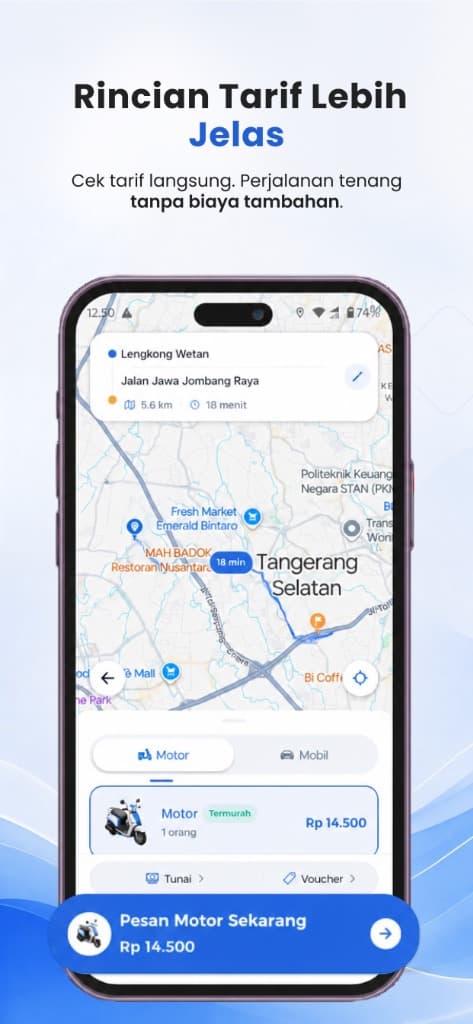
Choose a Vehicle & See the Fare
Pick SEVA Ride, SEVA Car, or SEVA Send. See the fixed fare and estimated pickup time before you confirm.
Meet Your Driver & Pay Cashless
Watch your driver arrive on the map, enjoy the ride, and pay with SEVA eWallet, QRIS, or cash.
How to Book for Every Kind of Trip
Each SEVA service has its own operating standards. Find the booking steps and vehicle specs that suit your trip or delivery.
SEVA Ride
Affordable, Nimble Motorbike Taxi
Set Pickup & Destination
Open the SEVA app, choose SEVA Ride, and drag the pin to the exact gate or station lobby.
Lock In a Clear Fare
See a fixed fare with no rush-hour surge. Choose how to pay and confirm.
Automatic Driver Matching
GPS dispatch connects you to a nearby, highly rated driver within seconds.
Your Driver Arrives
Your driver brings a helmet for you. Enjoy a quick ride through the traffic.
SEVA Car
Comfortable Car Rides
Set a Lobby Pickup
Choose SEVA Car for family trips, business meetings, or airport runs.
Check the Fixed Fare
The fare is shown upfront. Official tolls and parking are paid at cost.
Check the Car & Driver
Check the driver's photo, car type, and plate number in the app before you get in.
Relax & Get an E-Receipt
A clean cabin, an efficient route, and a digital receipt saved in your trip history.
SEVA Send
Express Door-to-Door Courier
Enter Sender & Recipient
Choose SEVA Send and fill in the full address, the recipient's phone number, and any item notes.
Flat, Direct-Route Fare
The delivery fee is based on the direct distance, with no sorting or warehouse fees.
Fast Parcel Pickup
The courier collects the parcel from you and heads straight to the destination.
Live Tracking & Photo Proof
Follow the courier on the map and get a photo proof of delivery on arrival.
How Fares Are Calculated in the SEVA App
We believe in full transparency. There is no surge pricing in rush hour or heavy rain. Every fare is calculated with the same fixed formula.
The starting cost of sending a vehicle to your pickup point.
Calculated automatically from the fastest GPS route.
The final amount shown before you book. It does not go up at the end.
Base Fares & Trip Examples
SEVA's official fares across Greater Jakarta.
| Service | Base Fare | Per KM | 5 KM Example | 10 KM Example |
|---|---|---|---|---|
| SEVA Ride | Rp 8,000 | Rp 2,500 / km | Rp 20,500 | Rp 33,000 |
| SEVA Car | Rp 9,500 | Rp 6,200 / km | Rp 40,500 | Rp 71,500 |
| SEVA Send | Rp 10,000 | Rp 3,000 / km | Rp 25,000 | Rp 40,000 |
What You Can Do in the SEVA App
You stay in control. From the moment a driver is assigned until you arrive, every safety and tracking tool is active.
Budi Santoso★ 4.96
Silver Toyota Avanza • Plate: B 1842 KFD
Driver & Vehicle Check
Check the driver's name, star rating, and plate number before you get in.
Real-Time GPS Tracking
Watch the car or motorbike on a live map from pickup to drop-off.
Number Masking
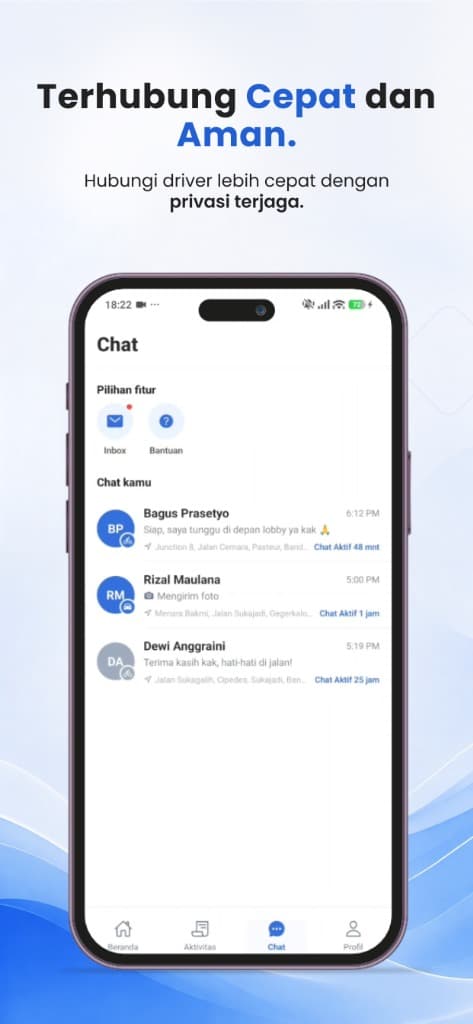
Contact your driver via in-app chat or call without revealing your personal number.
Share Your Trip
Send a live trip link to family or friends on WhatsApp in one tap.
SOS Emergency Button
One tap calls the 112 emergency line or your emergency contact when something is urgent.
Vehicle & Driver Standards
Vehicles pass regular roadworthiness checks and driver partners are trained in courteous service.
Want to know more about SEVA's safety standards?
Learn about driver verification, the SOS button, and trip sharing.
Comfortable Rides, Right in Your Pocket
Download SEVA for iOS and Android and book your first trip in a few taps.
Every Trip You Need, in One App
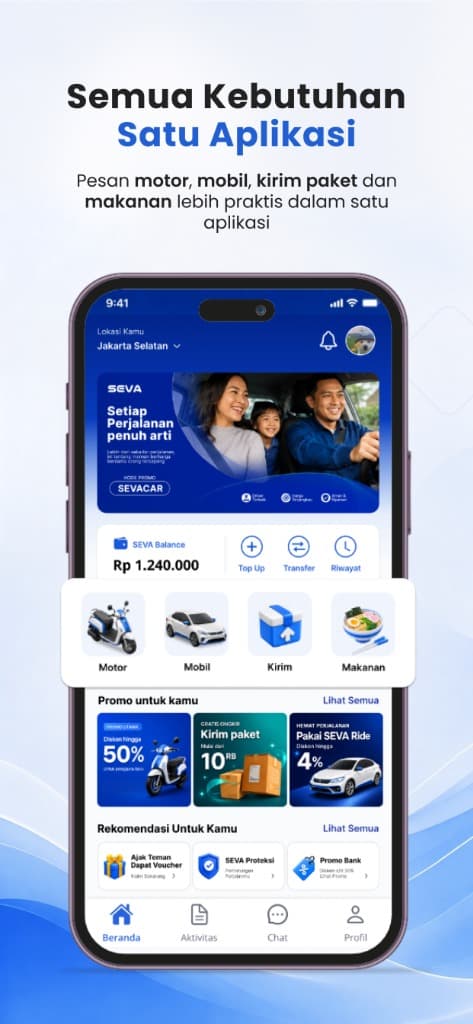
Quick access to SEVA RIDE, SEVA CAR, and SEVA SEND. Check your wallet balance and daily promos at a glance.